BrushCue
← All Alternatives

Fotor alternative

Fotor is an AI-focused online photo editor and design tool. BrushCue focuses on free, full-resolution effects that you can also run from Python.

Use Fotor if…

  • You want an AI agent and generative tools that create and edit images for you
  • You want design templates and photo editing in one account
  • You want cloud storage for your projects

Use BrushCue if…

  • You want full-resolution exports from a free tool
  • You want transparent PNG exports without a paid plan
  • You want to reproduce a filter across a folder of images with Python

At a glance

FotorBrushCue
Where editing happensOnline, with cloud storage for projectsIn your browser for core tools; AI tools (like background removal) run on BrushCue's servers
AccountFotor accountNot needed for core tools; a free account for AI tools
Ads and watermarksPaid plans list watermark-free and ad-free useNo ads, no watermarks
PricingFree Basic plan with limited credits and normal-quality exports; paid plans add HD and transparent PNGFree
AutomationBuilt for editing in the appPython library (pip install brushcue) and the bcue command-line tool

Fotor details last checked November 16, 2026 from Fotor pricing. Plans and features change, so check Fotor's site for the latest.

Where Fotor shines

Fotor is an AI-forward photo editor and design platform. It includes an AI agent that can carry out editing tasks, generative tools, design templates, and cloud storage for projects. The free Basic plan lets you try it with limited credits, and paid plans add HD exports, transparent PNGs, and much higher AI limits.

If you want an AI assistant to generate and edit images for you, Fotor is designed for exactly that.

Do it with BrushCue

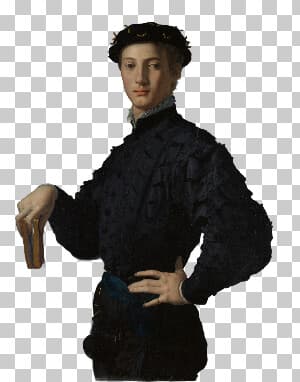
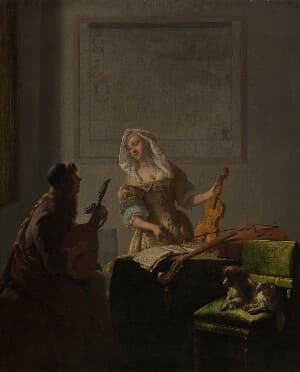
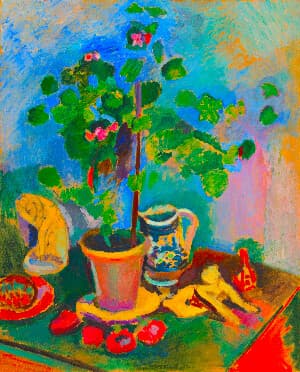
BrushCue's filters, like the 1970s Filter, Watercolor, and Pencil Sketch, are free and export at full resolution, including transparent PNGs. You can also apply a consistent look across a whole photo set with Python.

Fotor tools and their BrushCue equivalents

In FotorIn BrushCue
Background RemoverBackground Remover
Basic Adjust › Exposure / BrightnessExposure Adjust, Brightness Adjust
Basic Adjust › ContrastContrast Adjust, Auto Contrast
Basic Adjust › SaturationSaturation Adjust
Basic Adjust › TemperatureWarmth Adjust, Kelvin Tuner
Basic Adjust › SharpnessSharpen
Basic Adjust › VignetteVignette
Photo to CartoonCartoon Filter
Pencil SketchPencil Sketch, Charcoal Sketch
Oil PaintingOil Painting Effect
WatercolorWatercolor Effect
Vintage FiltersVintage Filter, 1970s Filter, 1950s Filter
Black and WhiteGrayscale, Film Noir
Blur ImageGaussian Blur, Blur Background
Pixelate ImagePixelate, Pixelate Faces
Crop / ResizeCrop Image, Image Resizer
Rotate / FlipRotate & Straighten, Horizontal Mirror
FramesAdd Frame, Polaroid Frame

Popular picks

Automate your edits

Every BrushCue effect can also run outside the browser. The free Python library and the bcue command-line tool use the same engine as the web tools, so a look you create here can be applied to a whole folder of images on your own computer.

FAQ

Is BrushCue a good Fotor alternative?
For filters and effects with free full-resolution exports, yes. If you want an AI agent and generative design tools, Fotor is built for that.
Is BrushCue free?
Yes. BrushCue's tools are free to use, with no ads and no watermarks on exports. The Python library and the bcue command-line tool are free as well.
Does BrushCue upload my images?
Not for its core tools, which run in your browser. AI tools such as background removal run on BrushCue's servers, so those upload your image and need a free account.
Can I automate the same edits I'd make in Fotor?
Yes. Install the Python library with pip install brushcue, or the bcue command-line tool, and run the same effects BrushCue's web tools use on whole folders of images.

Other comparisons

BrushCue is not affiliated with Fotor. Product names are trademarks of their respective owners.