Adjust Color Temperature of Image by Kelvin Online
Click to get startedDrop your image here
tap to choose a fileor click to browse
What you can expect
Adjust the color temperature of your image by setting a specific white point in Kelvin. Perfect for correcting color casts from different lighting conditions or creating a warmer/cooler aesthetic. D50 is our default, you can adjust from there.

Related tools
More BrushCue tools that fit this workflow.
Warmth Adjust
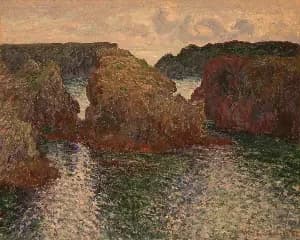
Warmth adjusts the color temperature of your image to make it feel cooler or warmer by simulating different lighting conditions. Slide right for golden, cozy tones and left for cooler, crisper tones—while keeping neutrals and skin tones balanced.

Chroma Offset
Applies a uniform chroma shift in the OkLab color space to adjust color intensity without changing hue or luminance. This produces perceptually consistent saturation changes, avoiding the artifacts common in RGB or HSV-based adjustments.
Included in collections
Browse by category
Online Image Color Adjustment Tools
→Online Photo Enhancement Tools
→Related posts
Read more about Kelvin Tuner
Frequently asked questions
- How to adjust color temperature with Kelvin?
- Select your file, enter a color temperature in Kelvin to set the white point — lower values are warmer, higher values are cooler.
- What does Kelvin Tuner do?
- It sets the white point to a specific color temperature in Kelvin — lower values give a warm amber tone; higher values give a cool blue cast.
- Is this the same as Lightroom's Temperature slider in Kelvin mode?
- Yes — both set white balance using a Kelvin value. Lower values add warm amber tones; higher values add cool blue tones, matching Lightroom's color temperature behavior.
- What file formats can I export?
- You can export as PNG, JPEG, WebP, TIFF, BMP, or HEIC.
- Is this tool free to use?
- Yes — completely free, no account needed. Your images are processed entirely in your browser and never uploaded to a server. Downloads have no watermarks.
For developers
Use Kelvin Tuner from Python
Open the Jupyter notebook example to see how to run this tool from the BrushCue Python API, inspect the processing steps, and adapt the workflow for scripts or batch image jobs.
View Python notebookBuild your own
Create projects with your custom presets
Sign in to save work, organize projects, and keep your favorite tool setups ready to go.
Sign in to create projects