Colorize Image Online Add Color Tint
Click to get startedDrop your image here
tap to choose a fileor click to browse
What you can expect
Applies a uniform chroma shift in the OkLab color space to adjust color intensity without changing hue or luminance. This produces perceptually consistent saturation changes, avoiding the artifacts common in RGB or HSV-based adjustments.
Related tools
More BrushCue tools that fit this workflow.
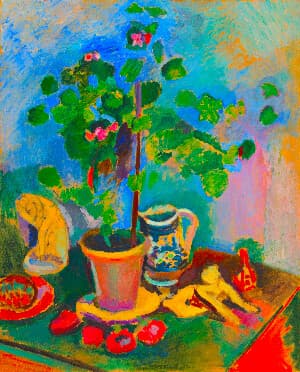
Saturation Adjust
Increase or decrease image saturation online. Perfect for vivid enhancements or muted artistic looks.
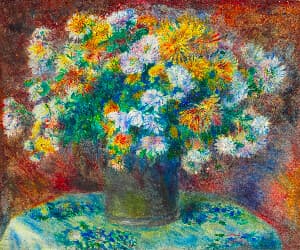
Vibrancy
The Vibrancy Effect tool adaptively boosts color saturation while preserving natural-looking tones. Unlike traditional saturation adjustments that uniformly increase chroma across all colors, vibrancy intelligently applies stronger boosts to less saturated colors and milder adjustments to already vivid colors, resulting in more balanced and visually appealing results.

Included in collections
Browse by category
Online Image Color Adjustment Tools
→Related posts
Read more about Chroma Offset
2026-08-20
Understanding Image Tinting
By Anthony Dito
Learn how image tinting shifts the OkLab a and b components, how each axis changes color, and when to use tint adjustments for correction or creative color grading.
2026-09-27
From LMS to OkLab
By Anthony Dito
Learn how LMS cone responses are converted into OkLab lightness and opponent color axes with a signed cube root and a matrix transformation.
Frequently asked questions
- How to shift chroma in an image?
- Select your file and set the chroma offset value — positive values increase color intensity, negative values reduce it.
- What does Chroma Offset do?
- It shifts the chroma (color intensity) of every pixel in OkLab color space without changing hue or lightness.
- How is Chroma Offset different from Saturation Adjust?
- Chroma Offset applies a flat additive shift in OkLab; Saturation Adjust multiplies existing chroma values proportionally.
- What file formats can I export?
- You can export as PNG, JPEG, WebP, TIFF, BMP, or HEIC.
- Is this tool free to use?
- Yes — completely free, no account needed. Your images are processed entirely in your browser and never uploaded to a server. Downloads have no watermarks.
For developers
Use Chroma Offset from Python
Open the Jupyter notebook example to see how to run this tool from the BrushCue Python API, inspect the processing steps, and adapt the workflow for scripts or batch image jobs.
View Python notebookBuild your own
Create projects with your custom presets
Save work, organize projects, and keep your favorite tool setups ready to go. No login required — everything is stored privately on your computer.
Go to projects