Convert Image to Halftone Effect Online
Click to get startedDrop your image here
tap to choose a fileor click to browse
What you can expect
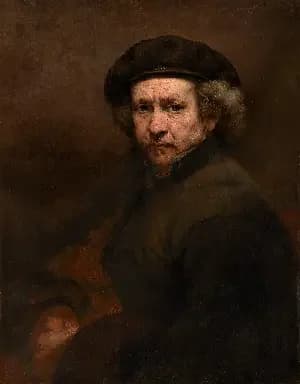
Generates a halftone effect. Composes your image of a bunch of dots of sizes corresponding to the brightness of each area. Control the dot and background color, the size of the regions and a contrast adjustment to make this effect look exactly how you want it.
Related tools
More BrushCue tools that fit this workflow.
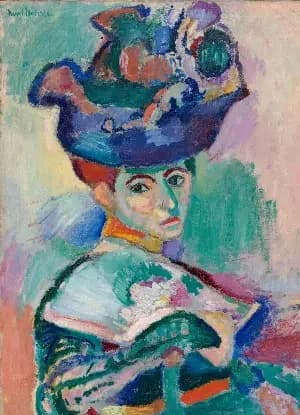
Pixelate
This tool groups nearby pixels into square blocks to reduce detail. Smaller blocks retain more detail, while larger blocks create a stronger, mosaic-like effect, allowing control over how much the image is simplified.

Color Reducer
Reduce the number of colors in an image while preserving visual quality. Useful for creating stylized images, optimizing for web, or preparing assets for limited-color displays.
Included in collections
Browse by category
Online Mosaic Tools
→Related posts
Read more about Halftone
Frequently asked questions
- How to apply a halftone effect to an image?
- Select your file, set the dot scale and density sliders, then export.
- What is a halftone effect?
- Halftone reproduces an image using dots of varying size — darker areas get larger dots, lighter areas get smaller ones, mimicking classic print techniques.
- Is this like Photoshop's Halftone Pattern filter?
- Similar — both create dot-based patterns mimicking print halftones. Photoshop offers more pattern types; this tool focuses on the classic circular dot halftone with adjustable scale and density.
- What file formats can I export?
- You can export as PNG, JPEG, WebP, TIFF, BMP, or HEIC.
- Is this tool free to use?
- Yes — completely free, no account needed. Your images are processed entirely in your browser and never uploaded to a server. Downloads have no watermarks.
For developers
Use Halftone from Python
Open the Jupyter notebook example to see how to run this tool from the BrushCue Python API, inspect the processing steps, and adapt the workflow for scripts or batch image jobs.
View Python notebookBuild your own
Create projects with your custom presets
Sign in to save work, organize projects, and keep your favorite tool setups ready to go.
Sign in to create projects