Photo to Coloring Page — Turn Pictures into Coloring Sheets Online
Click to get startedDrop your image here
tap to choose a fileor click to browse
What you can expect
Turn photos into printable coloring pages with clean black outlines on white. Adjust line thickness and detail privately in your browser.

Related tools
More BrushCue tools that fit this workflow.
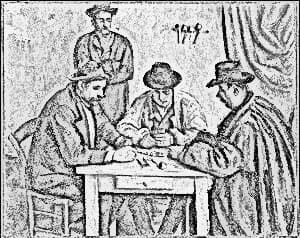
Pencil Sketch
Turn any photo into a pencil sketch with graphite linework, soft shading, and subtle paper texture. Adjust detail size and darkness, or add color for a colored-pencil effect. Edit privately in your browser.
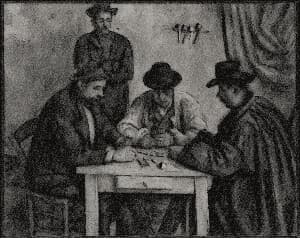
Charcoal Sketch
Turn photos into charcoal drawings with broad dark strokes, smudged shading, and warm textured paper. Adjust stroke size, darkness, smudge, and paper texture privately in your browser.

Included in collections
Browse by category
Online Artistic Photo Effects
→Frequently asked questions
- How do I turn a photo into a coloring page?
- Choose your photo and the tool traces its outlines as black lines on white. Adjust Line Thickness and Detail, then download and print your coloring sheet.
- What does the Detail slider do?
- Detail sets how faint an edge can be and still become a line. Lower it for simple outlines that are easy for kids to color; raise it to capture more texture and small features.
- Which photos make the best coloring pages?
- Photos with a clear subject, good lighting, and simple backgrounds work best, such as pets, portraits, toys, and buildings. Busy or very dark photos may need a higher Detail setting.
- Can I print the coloring page?
- Yes. The result keeps your photo's full resolution, so you can download it and print it on standard paper.
- Is my photo uploaded to a server?
- No. Photo to Coloring Page processes your image locally in your browser, with no login or watermark.
- What file formats can I export?
- You can export as PNG, JPEG, WebP, TIFF, BMP, or HEIC.
- Is this tool free to use?
- Yes — completely free, no account needed. Your images are processed entirely in your browser and never uploaded to a server. Downloads have no watermarks.
Build your own
Create projects with your custom presets
Save work, organize projects, and keep your favorite tool setups ready to go. No login required — everything is stored privately on your computer.
Go to projects