BrushCue

BrushCue Tool

Sobel Edge Detection

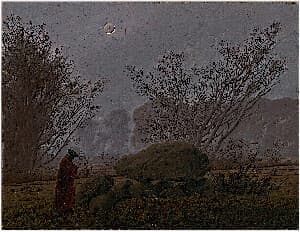
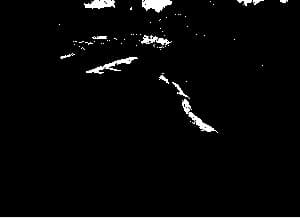
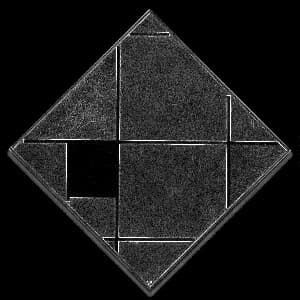
Interactive, browser-based Sobel edge detection demo for research and experimentation. Upload images to visualize gradient-based edge detection in real time—ideal for learning, prototyping, and exploring computer vision concepts directly in the browser.
Use Sobel Edge Detection

What you can expect

Dive into the editor to explore precisely tuned controls, presets, and color tools designed for fast experimentation.

  • Fine-grained controls

    Dial in every detail with tactile sliders and live feedback.

  • Instant previews

    See your adjustments in one canvas without tab-switching.

  • No-cost workflow

    Use every tool for free and export results with zero watermarks.

  • No account required

    Jump straight in, no login needed, no ads in your workspace.

A preview of the Sobel Edge Detection tool on BrushCue.

Keep exploring

Other BrushCue tools

Check out our other preset tools you can use.

Box Blur preview

Box Blur

This online Box Blur tool applies a simple averaging filter to soften an image and reduce noise. It is fast and predictable, making it useful for quick previews, testing, or educational purposes. Under normal circumstances, use the Gaussian Blur tool instead for smoother, more natural-looking results.

View tool →
Brightness Adjust preview

Brightness Adjust

Adjust image brightness online with live preview. Lighten or darken photos instantly using this free browser-based brightness adjustment tool.

View tool →
Chroma Offset preview

Chroma Offset

Applies a uniform chroma shift in the OkLab color space to adjust color intensity without changing hue or luminance. This produces perceptually consistent saturation changes, avoiding the artifacts common in RGB or HSV-based adjustments.

View tool →
Color Invert preview

Color Invert

Invert Image Colors is a simple online tool that instantly reverses all colors in an image, creating a negative effect. Upload an image to invert light and dark values directly in your browser—no downloads required.

View tool →
Color Rectangle preview

Color Rectangle

Create a solid color image by specifying the color and dimensions. Ideal for testing palettes, layout placeholders, and visual design work.

View tool →
Color Threshold preview

Color Threshold

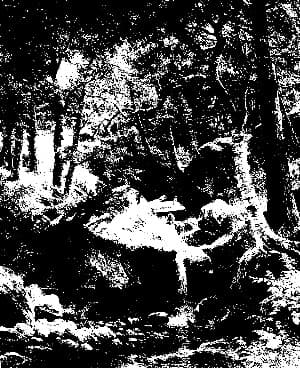
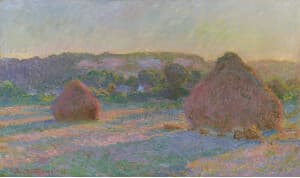
This tool compares the linear R, G and B components of an image. If any item is below the threshold, it returns black. Otherwise, it returns white. Useful in computer vision tasks and stylistic effects.
View tool →
BT.709

Convert to BT.709

Takes the image that you supply and modifies the colors to fit BT.709. Does this by using the ICC profiles. This tool will embed a ICC profile into the output.

View tool →
Display P3

Convert to Display P3

Takes your image and converts the colors to work for Display P3. Will embed a Display P3 ICC profile into your output image

View tool →
sRGB

Convert to sRGB

This tool takes an image that you has and converts it to sRGB. It does it by using the ICC sRGB color profile and changing the colors of your image accordingly.

View tool →
Gaussian Blur preview

Gaussian Blur

Apply Gaussian blur to images in your browser. Soften details, create depth effects, or prepare backgrounds quickly and for free.

View tool →
Grayscale preview

Grayscale

Convert photos to black and white instantly with this browser-based grayscale tool. Great for classic effects and tonal experimentation.

View tool →
High Contrast Grayscale preview

High Contrast Grayscale

This tool applies a S-Curve to the grayscale of an image. Doing so, increasing the contrast between the light and dark areas and giving a more stark grayscale effect.

View tool →
Horizontal Mirror preview

Horizontal Mirror

Flip images instantly with this horizontal mirror tool. Create a left-to-right mirror flip in one click—ideal for correcting selfie text, adjusting composition, or preparing visuals for design and social media.

View tool →
Lightness Threshold preview

Lightness Threshold

Applies a threshold to the OkLab L (lightness) component, analogous to how Color Threshold operates on individual RGB channels. This tool converts continuous tonal values into hard transitions, producing a stark, high-contrast, etching-like effect that emphasizes form and structure.

View tool →
Linear Transform preview

Linear Transform

Multiply the RGBA values of a pixel by a 4×4 matrix with this browser-based tool to apply precise, linear color transformations such as channel mixing, color correction, and custom effects, all without changing image geometry.

View tool →
Liquify preview

Liquify

A Liquify image editing tool that distorts an image using wave-based deformation. Amplitude controls the strength of the distortion, while frequency determines how smooth or tightly rippled the effect appears, enabling precise, parameter-driven liquify effects.

View tool →
Person Segment preview

Person Segment

Automatically segment people from images online. Extract subjects and replace backgrounds quickly with this free tool.

View tool →
Pixelate preview

Pixelate

This tool groups nearby pixels into square blocks to reduce detail. Smaller blocks retain more detail, while larger blocks create a stronger, mosaic-like effect, allowing control over how much the image is simplified.

View tool →
RGB Color Mix Aesthetic

RGB Color Mix Aesthetic

Blends green into reds and blues to soften color separation and create a subtle, warm film-like balance. Control the strength of the effect using this tool.

View tool →
RGB Color Shift preview

RGB Color Shift

An RGB Color Shift tool offsets the red, green, and blue channels to create a bold chromatic separation effect, producing the distinctive glitchy look popularized by the TikTok logo.

View tool →
Rotate 180° preview

Rotate 180°

Flip images upside down with a 180° rotation tool instantly in your browser. Simple and free.

View tool →
Rotate 90° Clockwise preview

Rotate 90° Clockwise

Rotate images 90° clockwise online. Fast and easy orientation correction without downloads.

View tool →
Rotate 90° Counter Clockwise preview

Rotate 90° Counter Clockwise

Rotate images 90° counter-clockwise with this free browser-based utility. No account needed.

View tool →
Saturation Adjust preview

Saturation Adjust

Increase or decrease image saturation online. Perfect for vivid enhancements or muted artistic looks.

View tool →
Scale by Factor preview

Scale by Factor

Let's you scale your image uniformly by a factor of your choice. You can both increase and decrease the size of your image using this tool.

View tool →
Sepia preview

Sepia

Convert any image to warm, classic sepia tones in seconds. This sepia image converter adds a vintage look with rich brown hues, perfect for photography, design, and creative projects.

View tool →
Sparkle Vignette preview

Sparkle Vignette

Add a vignette of silver and gold sparkles around the edges of your image. Perfect for celebrating New Years Eve or adding some glamour to your images. Control the size of each sparkle and how far the vignette advances.

View tool →
Swirl preview

Swirl

Creates a swirl effect at the center of your image. Control the magnitude of the effect with a angle given in radians.

View tool →
Vertical Mirror preview

Vertical Mirror

Flip images instantly with this vertical flip tool. Create a top-to-bottom mirror in one click—ideal for correcting orientation, experimenting with composition, or preparing visuals for design and social media.

View tool →
Vibrancy preview

Vibrancy

The Vibrancy Effect tool adaptively boosts color saturation while preserving natural-looking tones. Unlike traditional saturation adjustments that uniformly increase chroma across all colors, vibrancy intelligently applies stronger boosts to less saturated colors and milder adjustments to already vivid colors, resulting in more balanced and visually appealing results.

View tool →
Vignette preview

Vignette

The Vignette tool subtly draws focus to the subject by darkening or lightening the edges of an image. Adjust the Radius to control how far the vignette extends toward the center, Softness to define how gradually it blends into the image, and Strength to set the intensity of the effect. These controls allow precise, non-destructive shaping of visual emphasis and mood.

View tool →

Build your own

Create projects with your custom presets

Sign in to save work, organize projects, and keep your favorite tool setups ready to go.

Sign in to create projects