Custom Spacial Shader Online
Click to get startedDrop your image here
tap to choose a fileor click to browse
What you can expect
Write your own spacial displacement shader to warp every pixel of an image. Edit a short WGSL function body using position and sample() to create effects like ripples, waves, swirls, bulges, and more.
Related tools
More BrushCue tools that fit this workflow.
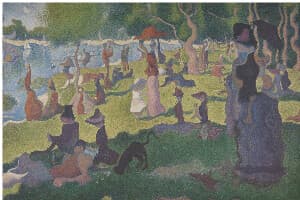
Liquify
A Liquify image editing tool that distorts an image using wave-based deformation. Amplitude controls the strength of the distortion, while frequency determines how smooth or tightly rippled the effect appears, enabling precise, parameter-driven liquify effects.

Swirl
Creates a swirl effect at a point you choose in your image. Control the magnitude of the effect with an angle given in radians and the radius of the effect.
Included in collections
Browse by category
Online Image Distortion Tools
→Frequently asked questions
- What is a custom spacial shader?
- A small WGSL function that runs for every output pixel. It receives the pixel position and reads the source image with sample(), letting you build your own warp effects.
- What effects can I make?
- Ripples, waves, swirls, bulges, magnification, directional drifts, and any other displacement or resampling effect you can express in WGSL.
- What does max displacement do?
- It tells the renderer how far pixels can move so edges and tiles render correctly. Keep it at or above your largest offset; the demo derives it from the amplitude.
- What file formats can I export?
- You can export as PNG, JPEG, WebP, TIFF, BMP, or HEIC.
- Is this tool free to use?
- Yes — completely free, no account needed. Your images are processed entirely in your browser and never uploaded to a server. Downloads have no watermarks.
For developers
Use Custom Spacial Shader from Python
Open the Jupyter notebook example to see how to run this tool from the BrushCue Python API, inspect the processing steps, and adapt the workflow for scripts or batch image jobs.
View Python notebookBuild your own
Create projects with your custom presets
Sign in to save work, organize projects, and keep your favorite tool setups ready to go.
Sign in to create projects