Add Camera Motion Blur to Image Online
Click to get startedDrop your image here
tap to choose a fileor click to browse
What you can expect
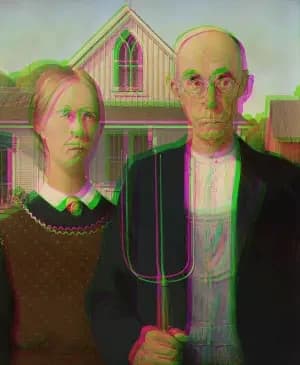
This tool simulates the effect of camera movement during a photo capture. It overlays two instances of the same image and blends them using a configurable alpha value to produce the effect. You can control both the blending strength and the positional offset between the two overlays to introduce subtle motion, depth, or a sense of energy—useful for adding realism, emphasizing motion, or creating a more dynamic, cinematic feel in otherwise static images.
Related tools
More BrushCue tools that fit this workflow.
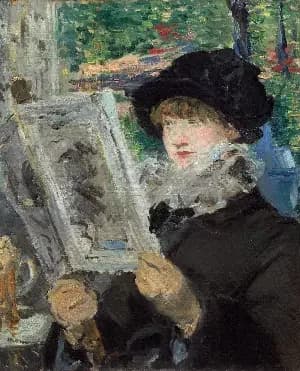
Zoom Blur
Zoom Blur simulates the effect of a camera zooming during exposure, creating streaks that radiate outward from a specified center point. The center remains relatively sharp while surrounding areas blur along radial lines. The strength parameter controls how pronounced the motion and streaking appear.
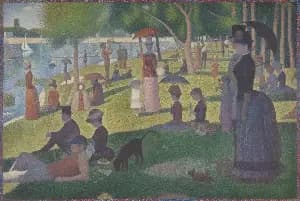
Liquify
A Liquify image editing tool that distorts an image using wave-based deformation. Amplitude controls the strength of the distortion, while frequency determines how smooth or tightly rippled the effect appears, enabling precise, parameter-driven liquify effects.
Included in collections
Browse by category
Online Image Distortion Tools
→Online Glitch & Digital Effects
→Related posts
Read more about Camera Moving Distortion
Frequently asked questions
- How to apply camera motion blur to an image?
- Select your file, set the positional offset to control the direction of movement, adjust blending strength, and export.
- What effect does Camera Moving Distortion create?
- It blends shifted copies of your image to mimic the motion blur of a camera panning or shaking during a long exposure.
- Is this like Photoshop's Motion Blur filter?
- Similar goal but different technique. Photoshop's Motion Blur applies a linear smear at a set angle; this tool blends semi-transparent offset copies to create a parallax-style ghosting that feels like the camera moved during a long exposure.
- What file formats can I export?
- You can export as PNG, JPEG, WebP, TIFF, BMP, or HEIC.
- Is this tool free to use?
- Yes — completely free, no account needed. Your images are processed entirely in your browser and never uploaded to a server. Downloads have no watermarks.
For developers
Use Camera Moving Distortion from Python
Open the Jupyter notebook example to see how to run this tool from the BrushCue Python API, inspect the processing steps, and adapt the workflow for scripts or batch image jobs.
View Python notebookBuild your own
Create projects with your custom presets
Sign in to save work, organize projects, and keep your favorite tool setups ready to go.
Sign in to create projects