BrushCue
← All Alternatives

remove.bg alternative

remove.bg is a dedicated, automatic background remover with apps, plugins, and an API. BrushCue includes a free background remover alongside hundreds of other editing tools.

Use remove.bg if…

  • Background removal is your whole workflow and you want dedicated apps and plugins (Photoshop, desktop, Android)
  • You need a mature, hosted background-removal API at scale
  • You want design templates built around cutouts

Use BrushCue if…

  • You want a free background remover with no watermark
  • You want to follow the cutout with other edits: shadows, outlines, white backgrounds, product photo sizes
  • You want to automate the rest of your edits with Python

At a glance

remove.bgBrushCue
Where editing happensOnline; images are processed on remove.bg's serversIn your browser for core tools; AI tools (like background removal) run on BrushCue's servers
AccountAccount for paid plans and the APINot needed for core tools; a free account for AI tools
Ads and watermarksPaid plans for maximum qualityNo ads, no watermarks
PricingFree to try; paid plans for maximum quality, automation, and scaleFree
AutomationAPI, plus integrations and pluginsPython library (pip install brushcue) and the bcue command-line tool

remove.bg details last checked November 16, 2026 from remove.bg homepage, remove.bg pricing. Plans and features change, so check remove.bg's site for the latest.

Where remove.bg shines

remove.bg does one thing and does it very well: automatic background removal. Around that core it has built a complete ecosystem, with desktop apps for Windows, Mac, and Linux, an Android app, a Photoshop extension, design templates, and an API for developers. Paid plans unlock maximum quality and scale.

If background removal is your whole workflow, or you need a dedicated hosted API for it, remove.bg is a specialist worth paying for.

Do it with BrushCue

BrushCue's Background Remover is free and watermark-free. It runs on BrushCue's servers, so it uploads your image and needs a free account. Next to it are tools for what usually comes after a cutout: white backgrounds, drop shadows, outlines, and Amazon-ready product photos. For the rest of a product photo pipeline, Python takes care of the repetitive edits.
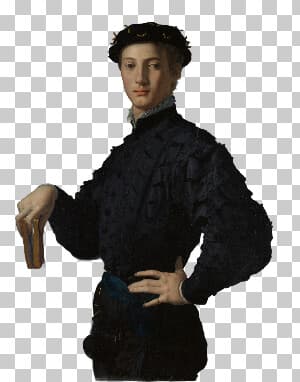

remove.bg tools and their BrushCue equivalents

Popular picks

Automate your edits

Every BrushCue effect can also run outside the browser. The free Python library and the bcue command-line tool use the same engine as the web tools, so a look you create here can be applied to a whole folder of images on your own computer.

FAQ

Is BrushCue's background remover free?
Yes, with no watermark. It runs on BrushCue's servers, so it uploads your image and needs a free account.
Is BrushCue free?
Yes. BrushCue's tools are free to use, with no ads and no watermarks on exports. The Python library and the bcue command-line tool are free as well.
Does BrushCue upload my images?
Not for its core tools, which run in your browser. AI tools such as background removal run on BrushCue's servers, so those upload your image and need a free account.
Can I automate the same edits I'd make in remove.bg?
Yes. Install the Python library with pip install brushcue, or the bcue command-line tool, and run the same effects BrushCue's web tools use on whole folders of images.

Other comparisons

BrushCue is not affiliated with remove.bg. Product names are trademarks of their respective owners.