Crop Image to Oval Shape Online
Click to get startedDrop your image here
tap to choose a fileor click to browse
What you can expect
Creates an oval cutout right in the center of your image.

Related tools
More BrushCue tools that fit this workflow.
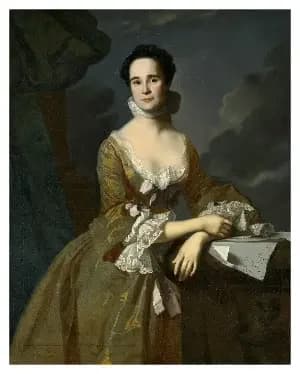
Add Frame
Add a frame around an image. You can pick the color of the frame and the size of it.

Vignette
The Vignette tool subtly draws focus to the subject by darkening or lightening the edges of an image. Adjust the Radius to control how far the vignette extends toward the center, Softness to define how gradually it blends into the image, and Strength to set the intensity of the effect. These controls allow precise, non-destructive shaping of visual emphasis and mood.
Included in collections
Browse by category
Online Retro Effects
→Online Image Framing & Border Tools
→Frequently asked questions
- How to create an oval crop of an image?
- Select your file and the oval cutout is applied centered automatically — content outside the oval is masked out.
- What does the Oval tool do?
- It creates an ellipse-shaped cutout centered in your image, masking out content outside the oval boundary.
- Can I use the Oval tool for profile pictures?
- Yes, the centered oval cutout is perfect for creating circular or oval profile photo crops.
- What file formats can I export?
- You can export as PNG, JPEG, WebP, TIFF, BMP, or HEIC.
- Is this tool free to use?
- Yes — completely free, no account needed. Your images are processed entirely in your browser and never uploaded to a server. Downloads have no watermarks.
For developers
Use Oval from Python
Open the Jupyter notebook example to see how to run this tool from the BrushCue Python API, inspect the processing steps, and adapt the workflow for scripts or batch image jobs.
View Python notebookBuild your own
Create projects with your custom presets
Sign in to save work, organize projects, and keep your favorite tool setups ready to go.
Sign in to create projects