Noon Sunlight Photo Filter Online
Click to get startedDrop your image here
tap to choose a fileor click to browse
What you can expect
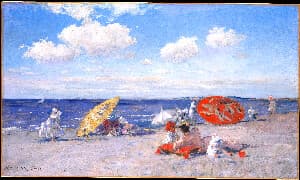
Recreate the bright, harsh light of the midday sun. The Noon filter raises exposure and contrast with a neutral white balance for punchy highlights and crisp shadows. Control the effect with a single intensity slider.
Related tools
More BrushCue tools that fit this workflow.
Morning Filter
Give your photos the clean, fresh look of morning light. The Morning filter slightly cools the white balance, brightens the image, and adds a gentle lift to contrast and saturation for a crisp start-of-day feel. Control the effect with a single intensity slider.

Afternoon Filter
Give your photos the relaxed warmth of mid-afternoon sun. This time of day filter gently warms the white balance, adds a touch of golden chroma, and lifts saturation while keeping colors natural. Control the effect with a single intensity slider.


Included in collections
Browse by category
Online Image Color Adjustment Tools
→Online Time of Day Photo Filters
→Frequently asked questions
- What does the Noon filter do?
- It raises exposure and contrast with a neutral white balance to recreate bright, harsh midday sunlight.
- Why does the Noon filter look subtle?
- Midday light is close to neutral, so the Noon filter changes brightness and contrast rather than color. Raise the intensity for a stronger effect.
- What file formats can I export?
- You can export as PNG, JPEG, WebP, TIFF, BMP, or HEIC.
- Is this tool free to use?
- Yes — completely free, no account needed. Your images are processed entirely in your browser and never uploaded to a server. Downloads have no watermarks.
Build your own
Create projects with your custom presets
Sign in to save work, organize projects, and keep your favorite tool setups ready to go.
Sign in to create projects