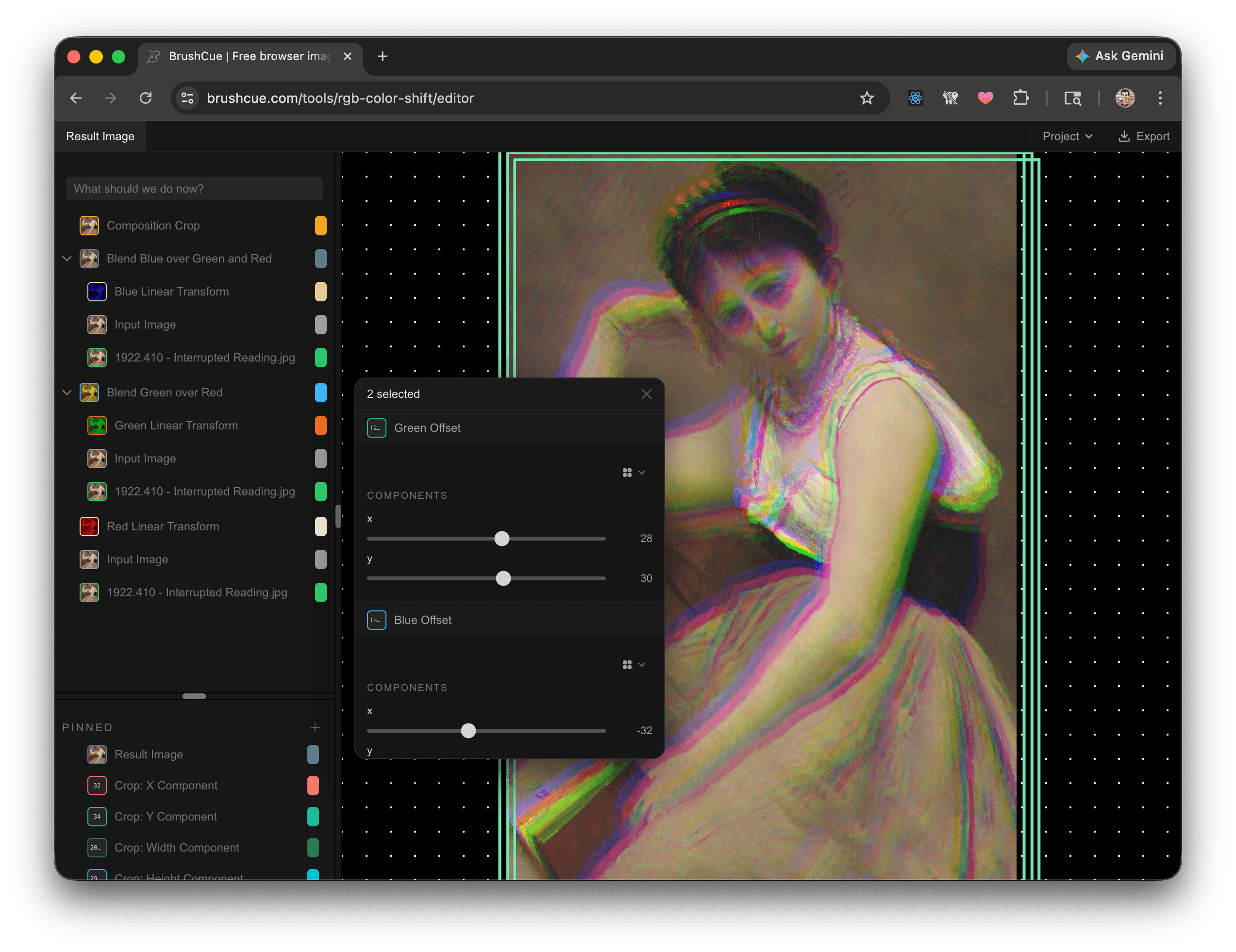
Over the past month we have been hard at work bringing our editor into a more sophisticated state. Here are some of the improvements that we've made.
- The canvas is now properly interactive. You can drag layers around. You can scale. Everything you would expect.
- We moved away from our graph based user interface and now replaced it with a more traditional sidebar. You can see how your operations stack to produce your final result.
- Thumbnails! In the sidebar, and throughout the editor, you will see thumbnails for each operation in your project. We've found this makes it much easier to edit.
- Expressions. For computations, you can now use Excel like expressions to set values.
(SIN("Time") / 10) + "Size".x. Anything that you can set your mind to. - Sliders, and other UI. There are now sliders and other more usable UI elements.
If you have any questions or feedback, feel free to reach out to us at support@brushcue.com.