The BrushCue film grain tool pictured below is meant to simulate a film grain on your images. In this post, we will explore how this tool works and how to use it effectively to achieve the film grain result you desire.
The animation above alternates back and forth between an image with and without film grain. This is the subtle film grain effect that I think looks best. In the rest of the post, we will decompose how this effect works and then talk about how you can achieve the effect you want.
How it works
The film grain tool works by compositing a bunch of different frequencies. First, let's see an exaggerated film grain to get a sense of how this looks. In the image below, you will see what the final film grain result looks like with an outrageous strength parameter of 10.
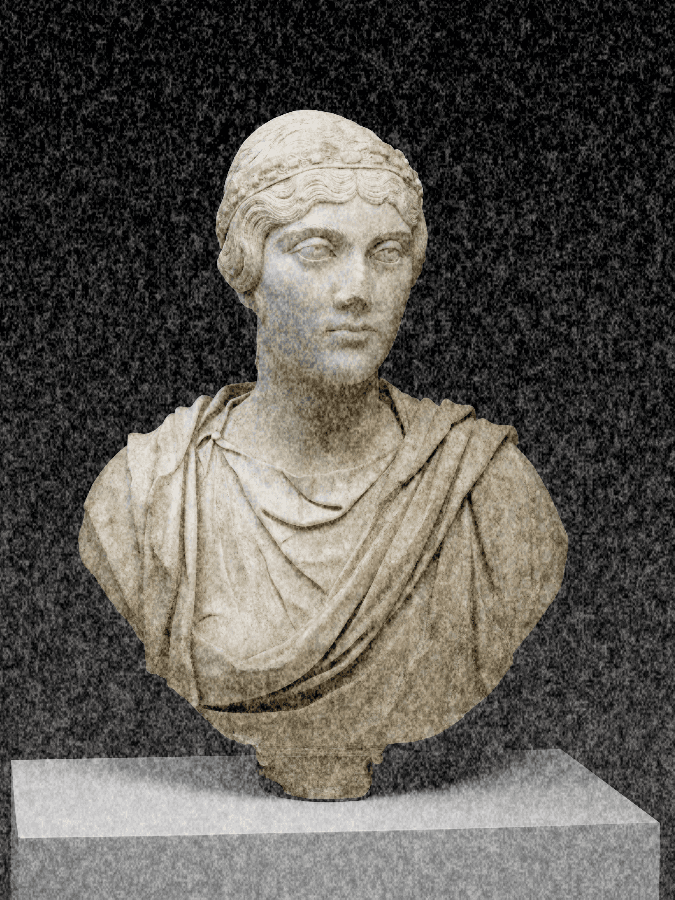
Understanding the noise
The grain is separated into multiple frequencies and then combined to get this result. The images below show the frequencies and what they look like.
| High | Medium | Low |
|---|---|---|
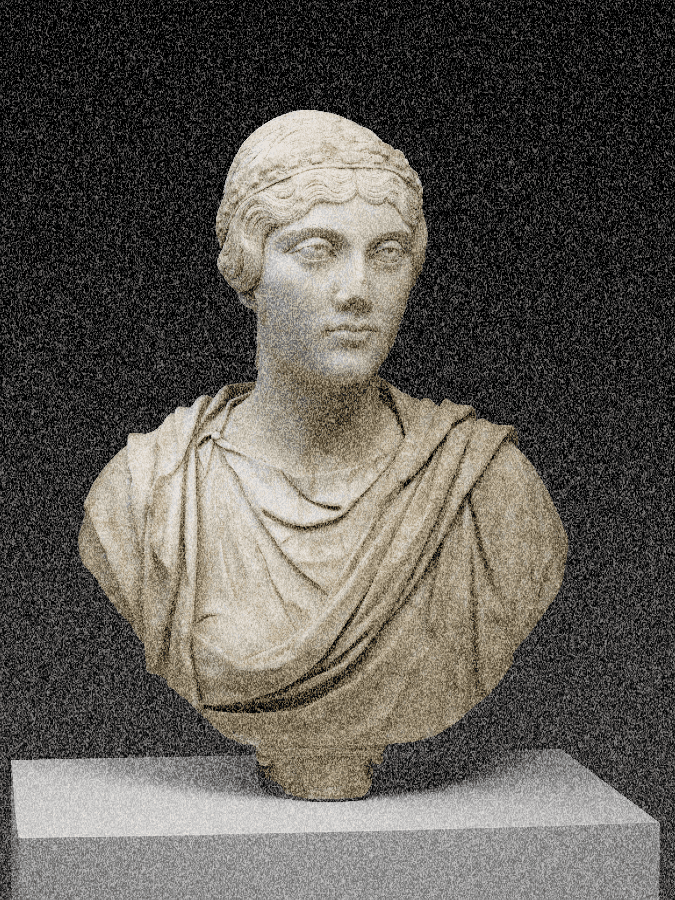 | 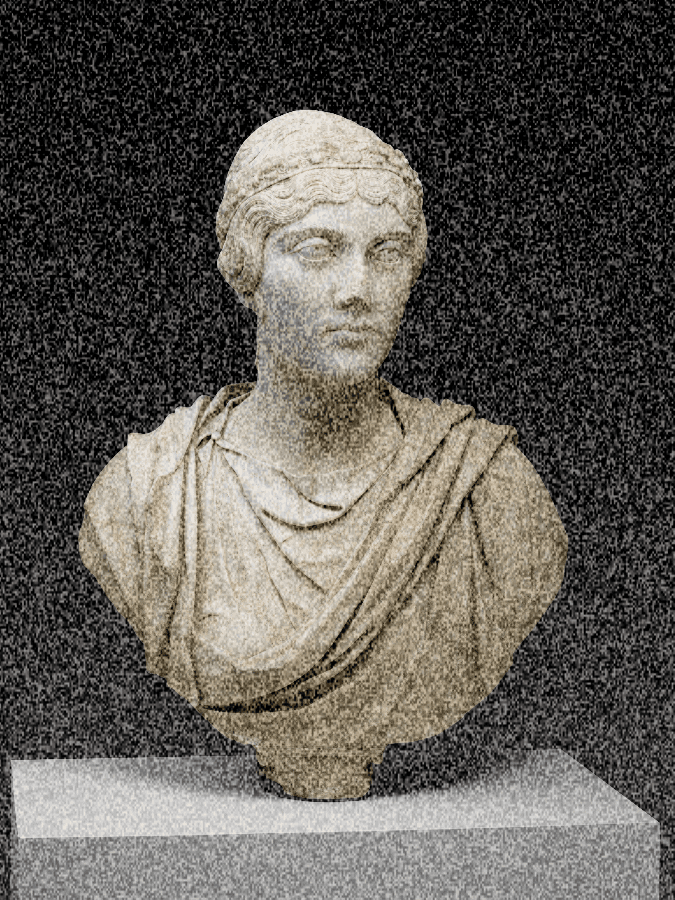 | 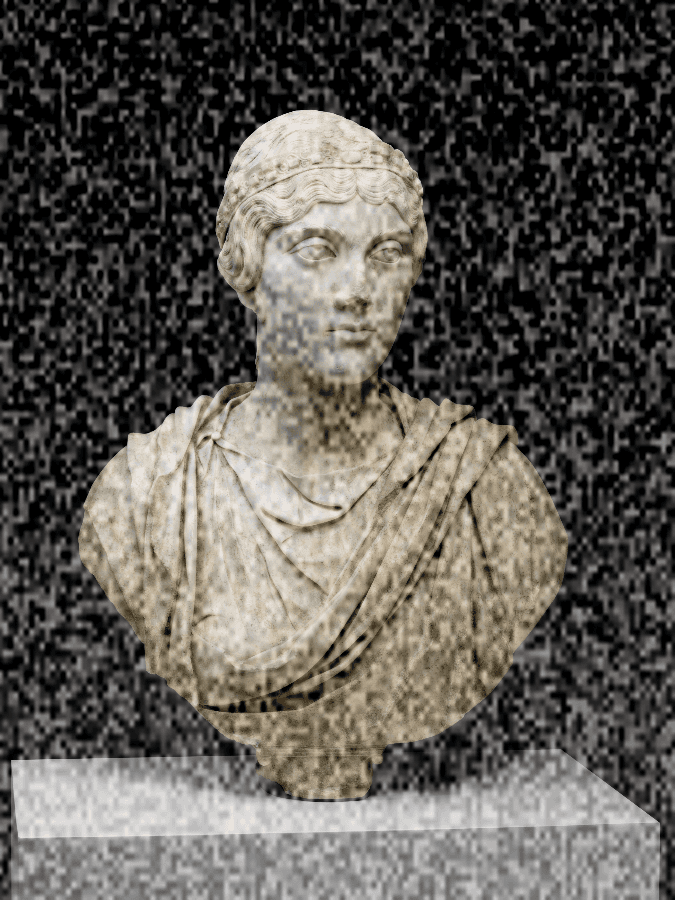 |
| 300 frequency | 150 frequency | 50 frequency |
The final film grain tool does a weighted average of these three different frequencies.
Show me the code
If you are interested in the shader code we use to generate this, this is what we are using. In the tool, you can adjust and play with this code.
@group(0) @binding(0) var input_texture: texture_2d<f32>;
@group(0) @binding(1) var<uniform> fine_grain_frequency: f32;
@group(0) @binding(2) var<uniform> fine_weight: f32;
@group(0) @binding(3) var<uniform> grain_strength_param: f32;
@group(0) @binding(4) var<uniform> high_grain_frequency: f32;
@group(0) @binding(5) var<uniform> high_weight: f32;
@group(0) @binding(6) var<uniform> medium_grain_frequency: f32;
@group(0) @binding(7) var<uniform> medium_weight: f32;

fn do_transformation(input: vec4<f32>, position: vec2<u32>) -> vec4<f32> {
// @start_function
let texture_dimens = textureDimensions(input_texture);
let width = f32(texture_dimens.x);
let height = f32(texture_dimens.y);
let avg_dimen = (width + height) * 0.5;
let uv = vec2<f32>(f32(position.x) / width, f32(position.y) / height);
let L = input.x;
let a = input.y;
let b = input.z;
let alpha = input.a;

let grain_strength = (1.0 - L) * grain_strength_param * 0.1;

let fine_freq = fine_grain_frequency * avg_dimen / 1024.0;
let medium_freq = medium_grain_frequency * avg_dimen / 1024.0;
let high_freq = high_grain_frequency * avg_dimen / 1024.0;

// Fine grain noise
let p = uv * fine_freq;
let pi = floor(p);
let pf = fract(p);
let u = pf * pf * (3.0 - 2.0 * pf);

let h1 = fract(sin(dot(pi, vec2<f32>(12.9898, 78.233))) * 43758.5453);
let h2 = fract(sin(dot(pi + vec2<f32>(1.0, 0.0), vec2<f32>(12.9898, 78.233))) * 43758.5453);
let h3 = fract(sin(dot(pi + vec2<f32>(0.0, 1.0), vec2<f32>(12.9898, 78.233))) * 43758.5453);
let h4 = fract(sin(dot(pi + vec2<f32>(1.0, 1.0), vec2<f32>(12.9898, 78.233))) * 43758.5453);

let v0 = mix(h1, h2, u.x);
let v1 = mix(h3, h4, u.x);
let fine_noise = mix(v0, v1, u.y);

// Medium grain noise
let medium_p = uv * medium_freq;
let medium_pi = floor(medium_p);
let medium_pf = fract(medium_p);
let medium_u = medium_pf * medium_pf * (3.0 - 2.0 * medium_pf);

let mh1 = fract(sin(dot(medium_pi, vec2<f32>(12.9898, 78.233))) * 43758.5453);
let mh2 = fract(sin(dot(medium_pi + vec2<f32>(1.0, 0.0), vec2<f32>(12.9898, 78.233))) * 43758.5453);
let mh3 = fract(sin(dot(medium_pi + vec2<f32>(0.0, 1.0), vec2<f32>(12.9898, 78.233))) * 43758.5453);
let mh4 = fract(sin(dot(medium_pi + vec2<f32>(1.0, 1.0), vec2<f32>(12.9898, 78.233))) * 43758.5453);

let mv0 = mix(mh1, mh2, medium_u.x);
let mv1 = mix(mh3, mh4, medium_u.x);
let medium_noise = mix(mv0, mv1, medium_u.y);

// High grain noise
let high_p = uv * high_freq;
let high_pi = floor(high_p);
let high_pf = fract(high_p);
let high_u = high_pf * high_pf * (3.0 - 2.0 * high_pf);

let hh1 = fract(sin(dot(high_pi, vec2<f32>(12.9898, 78.233))) * 43758.5453);
let hh2 = fract(sin(dot(high_pi + vec2<f32>(1.0, 0.0), vec2<f32>(12.9898, 78.233))) * 43758.5453);
let hh3 = fract(sin(dot(high_pi + vec2<f32>(0.0, 1.0), vec2<f32>(12.9898, 78.233))) * 43758.5453);
let hh4 = fract(sin(dot(high_pi + vec2<f32>(1.0, 1.0), vec2<f32>(12.9898, 78.233))) * 43758.5453);

let hv0 = mix(hh1, hh2, high_u.x);
let hv1 = mix(hh3, hh4, high_u.x);
let high_noise = mix(hv0, hv1, high_u.y);

// Combine noises with separate weights, normalize to -0.5 to 0.5
let combined_noise = (fine_noise * fine_weight + medium_noise * medium_weight + high_noise * high_weight) - 0.5;
let grain_amount = combined_noise * grain_strength;

// Apply grain primarily to luminance
let L_grained = clamp(L + grain_amount, 0.0, 1.0);

// Minimal color grain for subtle variation
let a_grained = clamp(a + grain_amount * 0.02, -0.4, 0.4);
let b_grained = clamp(b + grain_amount * 0.02, -0.4, 0.4);

return vec4<f32>(L_grained, a_grained, b_grained, alpha);
// @end_function
}

// @start_helpers
// No helpers
// @end_helpers
How to Configure
Given our understanding of the weights and the frequencies in three layers making up the grain effect, we can now talk about how to modify the grain tool to meet your needs.
Want a changed intensity of the effect?
Modify the "Strength" parameter.
Want more large blotches?
Decrease the frequencies or make the weight of the lower frequencies higher.
Want more fine blotches?
Increase the frequencies or make the weight of the higher frequencies higher.
Want a different mix of blotches?
Change the weights. You can weight it more heavily toward finer blotches or larger blotches. Up to you!